 A couple of days ago, Microsoft had released their latest update of Windows 10 aka April 2018 Update for all users. Microsoft has today released a new Windows 10 Insider Preview Build 17661 from Redstone 5 branch for Fast Ring users. Redstone 5 will be the next major update to Windows 10 and is scheduled to release in the second half of 2018. This is the first Redstone 5 build which has been released to Fast Ring as the earlier RS5 builds were released on the Skip Ahead Ring which was specifically created by Microsoft for giving an early start to their development process of the next major update. This build has introduced some new features and under the hood changes that will lay the groundwork for upcoming features. Microsoft has started converging their snipping tools on Windows 10 by creating the Windows Ink Workspace’s Screen Sketch as a standalone app which has some easy sharing and sketching features. Since it is now an app, it also means that users can multitask with it and can find it in taskbar or Alt-Tab as well. Microsoft has enabled a keyboard shortcut for easy snapping, so by pressing WIN + Shift + S, a new snip toolbar will pop up. After selecting the snipping area user will get a notification which can be opened in the Screen sketch app. Surface Pen or any other button can be now set up for bringing the new snipping experience. More can be found on OUR FORUM. A couple of days ago, Microsoft had released their latest update of Windows 10 aka April 2018 Update for all users. Microsoft has today released a new Windows 10 Insider Preview Build 17661 from Redstone 5 branch for Fast Ring users. Redstone 5 will be the next major update to Windows 10 and is scheduled to release in the second half of 2018. This is the first Redstone 5 build which has been released to Fast Ring as the earlier RS5 builds were released on the Skip Ahead Ring which was specifically created by Microsoft for giving an early start to their development process of the next major update. This build has introduced some new features and under the hood changes that will lay the groundwork for upcoming features. Microsoft has started converging their snipping tools on Windows 10 by creating the Windows Ink Workspace’s Screen Sketch as a standalone app which has some easy sharing and sketching features. Since it is now an app, it also means that users can multitask with it and can find it in taskbar or Alt-Tab as well. Microsoft has enabled a keyboard shortcut for easy snapping, so by pressing WIN + Shift + S, a new snip toolbar will pop up. After selecting the snipping area user will get a notification which can be opened in the Screen sketch app. Surface Pen or any other button can be now set up for bringing the new snipping experience. More can be found on OUR FORUM.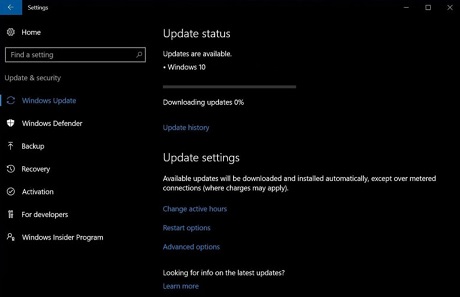 Microsoft is already allowing users who don’t want to wait any longer to get the newest version of Windows 10, and while the normal upgrade experience is smooth, the clean install of Windows 10 is recommended for improved performance. Microsoft has released the Windows 10 April 2018 Update as a manual download, and you can easily upgrade your device by checking for updates in the Settings app. On Tuesday, the newest version of the operating system will start showing up in the Windows Update for select users and it will be downloaded automatically to deliver a smooth upgrade experience. The upgrade process always drags the old settings, unnecessary software and unwanted files from your previous installation of Windows. Basically, Microsoft allows you to start your Windows experience from scratch (without manufacturer bloatware and third-party applications) by performing a clean install and now things are much easier. Full details are posted on OUR FORUM. 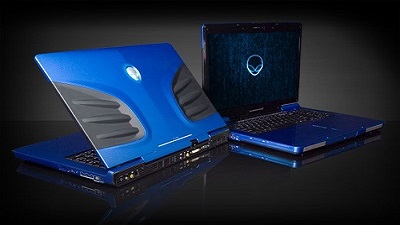 Microsoft recently released Windows 10 April 2018 Update and it appears the newest version of the OS is hitting an issue on Alienware laptops. A lot of users on social media networks and forums are reporting that Windows 10 April 2018 Update fails to install on Alienware laptops and Microsoft is yet to acknowledge the bug. Windows 10 April 2018 Update fails to install on some Alienware laptops, and the system throws an error message “You’ll need to remove these apps yourself, and then select Refresh. These programs need to be uninstalled because they aren’t compatible with the upgrade – Hybrid laptops with discrete GPU connected to display.” On Alienware Reddit discussion, a Product Specialist has unofficially acknowledged the bug. Umar Khan says that the users may receive an error message asking them to uninstall the Hybrid Graphics in order to upgrade to the newest version of the operating system. Umar claims that the installation issues is happening due to a graphics related bug in Windows 10 April 2018 Update which affects hybrid graphics platforms. Umar has also confirmed that Microsoft has blocked the upgrade on some Alienware computers intentionally and it will be lifted once the fix is released with a cumulative update next month. “There is no application you SHOULD uninstall. The block put in place is intentional from Microsoft due to a graphics related bug in Windows 10 version 1803 which affects hybrid graphics platforms,” he said. Umar has also shared an unofficial word around which appears to be helping several users. We have possible workarounds posted on OUR FORUM. Microsoft recently released Windows 10 April 2018 Update and it appears the newest version of the OS is hitting an issue on Alienware laptops. A lot of users on social media networks and forums are reporting that Windows 10 April 2018 Update fails to install on Alienware laptops and Microsoft is yet to acknowledge the bug. Windows 10 April 2018 Update fails to install on some Alienware laptops, and the system throws an error message “You’ll need to remove these apps yourself, and then select Refresh. These programs need to be uninstalled because they aren’t compatible with the upgrade – Hybrid laptops with discrete GPU connected to display.” On Alienware Reddit discussion, a Product Specialist has unofficially acknowledged the bug. Umar Khan says that the users may receive an error message asking them to uninstall the Hybrid Graphics in order to upgrade to the newest version of the operating system. Umar claims that the installation issues is happening due to a graphics related bug in Windows 10 April 2018 Update which affects hybrid graphics platforms. Umar has also confirmed that Microsoft has blocked the upgrade on some Alienware computers intentionally and it will be lifted once the fix is released with a cumulative update next month. “There is no application you SHOULD uninstall. The block put in place is intentional from Microsoft due to a graphics related bug in Windows 10 version 1803 which affects hybrid graphics platforms,” he said. Umar has also shared an unofficial word around which appears to be helping several users. We have possible workarounds posted on OUR FORUM. |
Latest Articles
|