 Windows 10 vs Windows 10 Pro: the basics. The standard version of Windows 10 is actually Windows 10 Home, and it's aimed at home users. If you're running a business, you're perhaps more likely to be interested in Windows 10 Pro. A lot of features are shared between these two OSes, all the basics that you're probably familiar with from previous versions of Windows. Both can work across desktops, laptops, and tablets, and both come with features like Cortana and Microsoft's new browser, Microsoft Edge. The smart login tech known as Windows Hello is included in both Home and Pro editions, as is the Xbox app for streaming games from your Xbox One. You don't miss out on gaming features (like DirectX 12) if you go for the Pro version of Windows 10. In fact if you booted up Windows 10 Home and Windows 10 Pro side by side, you'd be hard-pressed to tell the difference unless you really dig into the features. For the most part, both OSes work in exactly the same way. Upgrading from the Home version of Windows 10 to Windows 10 Pro is a fairly straightforward process – Microsoft has details here – but to go back the other way you need to do a full reinstall. ...read more on our Forum  Available since April 30 as a manual download, the highly-anticipated Windows 10 April 2018 Update is far from being a flawless feature update on some systems. The report indicates that Windows 10 version 1803 is causing a number of issues on some hardware configuration, with the users claiming that the update is bricking their devices to a point where the operating system has to be reinstalled. To summerise, the Windows 10 April 2018 Update is causing a black screen and blank desktop on some devices. It also makes impossible for users to boot to desktop in some cases. Microsoft today in a post on their official forum confirmed that Windows 10 April 2018 Update, also known as Windows 10 version 1803 could brick some computers. The company has acknowledged two critical bugs including the one that boots system to a blank desktop. Black screen, the biggest nightmare Read more: Microsoft confirms Windows 10 April 2018 Update could brick some PCs. 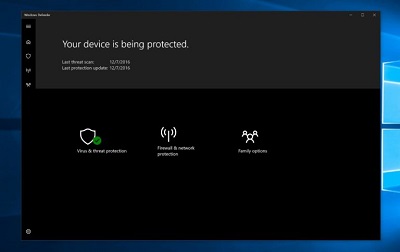 Windows Defender is getting better with every single update and according to the most recent antivirus test, the Microsoft has once again managed to improve the performance of Windows 10’s built-in antivirus. Microsoft has published a blog post to praise the capabilities of Windows Defender, and the company has also used this occasion to explain how it can protect user data in the OS by default. It goes with saying that the feature and cumulative updates have improved Windows Defender and its capabilities significantly in the past few years. According to the latest results obtained from January-February 2018 AV-TEST research. Windows Defender also got a perfect score in Protection tests. Microsoft has improved Windows Defender in almost all areas, with the default antivirus solution getting a score of 5.5 points out of a maximum of 6 in performance tests. “Windows Defender AV improved this cycle, achieving a 5.5/6.0 Performance score and outperforming the industry in almost all areas. These results reflect the investments we put in optimizing Windows Defender AV performance for high-frequency actions (e.g., application run),” says Zaid Arafeh, Senior Program Manager, Windows Defender Research team. For more visit OUR FORUM. |
Latest Articles
|