 Microsoft is slowly bringing Fluent Design to all parts of Windows 10, and the design is evolving with the next update. Microsoft appears to be expanding Fluent Design to the context menu of Windows 10, and the most recent preview build comes with similar changes in this regard. A couple of days ago, Microsoft released Windows 10 Build 17692 to the Windows Insiders enrolled in the Fast and Skip Ahead ring, with SwiftKey and other improvements. The most recent build released earlier this week brings more Fluent Design changes, and it’s likely that Microsoft will ship the Windows 10 Redstone 5 with these changes later this year. It appears that the Fluent Design effect is finally spreading to context menu and flyouts. In release notes published, Microsoft explains that when you will right-click open apps in Task View, you will notice new acrylic backgrounds. “With Build 17692 you will notice new acrylic backgrounds in places on the system using these controls – for example when you right-click open apps in Task View. Apps using the SDK for this build or higher will see this change by default as well,” Microsoft explained in a changelog. Follow this thread on OUR FORUM. 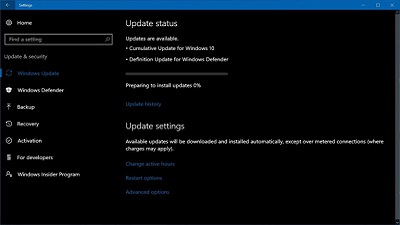 Earlier this week, Microsoft released new June 2018 patches for all supported versions of Windows 10 operating system, including the newly released Windows 10 April 2018 Update (version 1803). At that time, the company acknowledged only one issue in a patch for Windows 10 April 2018 Update, but the company has recently updated the support page to include one more issue. Microsoft has acknowledged a new issue in June 2018 patch for Windows 10 April 2018 update, which was released on Tuesday. The updated support page has confirmed a new issue that affects Microsoft Edge. It’s worth mentioning it’s not a critical bug and it should not be a big deal for most of the users. Microsoft Edge could hit glitches where the browser would stop working “when it initializes the download of a font from a malformed (not RFC compliant) URL”. Microsoft hasn’t issued any workaround yet, but the company says that they’re working on a resolution and it would become available later in June. You won’t have to wait until the next Patch Tuesday, as Microsoft plans to release another cumulative update later this month. Microsoft has already confirmed issues with SMBv1 protocol in Windows 10 April 2018 Update, and it can be addressed if you enable SMBv2 or SMBv3 on both the SMB server and the SMB client. The fix will be shipped later this month as well. Further details are posted on OUR FORUM.  After a very long wait, details regarding the next version of the Microsoft HoloLens are slowly starting to solidify. We have already heard the device will be lighter, cheaper and with a larger field of view, and now the processor powering the device has leaked also. According to Engadget’s sources, HoloLens 2 will be powered by the recently announced Qualcomm XR1 processor, which has been designed with the express purpose of delivering a “high quality” VR and AR experience. XR1 integrates Qualcomm Technologies’ heterogeneous computer architecture, including the ARM-based multi-core Central Processing Unit (CPU), a vector processor, Graphics Processing Unit (GPU) and Qualcomm® AI Engine. Other key features include an advanced XR software service layer, machine learning, the Snapdragon XR Software Development Kit (SDK) and Qualcomm Technologies connectivity and security technologies. The XR1 platform also provides an AI engine for on-device processing. This engine provides the ability to process AI-use cases and runs high performing, power-efficient machine learning based computer vision algorithms that can help with key AR use cases like better pose prediction, object classification, etc. Want more visit OUR FORUM. |
Latest Articles
|