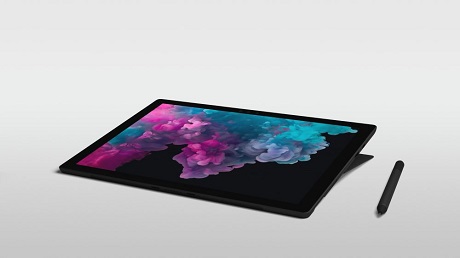
 Wired has an interesting article on the tablet market, noting that the market has now been shrinking for nearly as much time as it has been growing. Sales peaked in 2014 with 250 million tablets shipped worldwide, and the market has been shrinking for the last 16 quarters and is likely to generate as much revenue this year as seven years ago. “At the end of this year we’ll see revenue numbers that are equivalent to 2011,” says Tom Morrod, senior research director at IHS Markit. Part of the problem is that for most tablet owners, there’s not really a compelling reason to upgrade. “The trend is that tablet users were not really renewing their device,” says Daniel Goncalves, a senior research analyst at IDC. “The device they had was good enough for their daily needs – streaming, video, and television.” The product is being squeezed between ever larger phones and thinner and lighter, more portable PCs. “It’s not a well-defined category,” says Morrod. “Because of that, it’s been encroached upon by other markets. There’s not much left in the middle.” Companies have fled to the higher-end productivity part of the market, which has held steady, but analysts still feel growth there is impeded by the limited functionality of tablets, due to imprecise input options. They note that although the iPad Pro might technically be as powerful as a laptop, its design and user interface acts as a handbrake. Further details posted on OUR FORUM.  Windows 10 19H1 is projected to launch in April 2019 and it is reported to feature a long list of changes and improvements. A report claims that Windows 10’s Spring 2019 update could introduce visual improvements and improved personalization setting page. Windows 10 19H1 will come with the ability to change the color of the taskbar and other elements like the tray flyout menu. Microsoft plans to update the personalization setting page to include “Choose your default Windows mode” option. The option “Choose your default Windows mode” will change the color of the taskbar and tray flyouts. It’s likely that the users will be finally able to change the taskbar color to white. “Just like the “Choose your default app mode”, there will also be a “Choose your default Windows mode” option. This should change the color of elements like the taskbar and the tray flyouts, resulting in a light shell like the ones we’ve seen on concepts in the past years,” Albatross said in a tweet. “This also means that you’ll be able to control the default shell and app modes individually”. The while or minimal look of taskbar certainly makes sense and we have seen these changes in early concepts of Windows 10. The feature is expected to arrive next year but it’s not yet available in preview builds and Microsoft hasn’t officially confirmed such reports. A more substantial overhaul of the customization options in Windows 10 is needed and users expect these options to make the operating system truly personal. There's more this and other upcoming features posted on OUR FORUM. 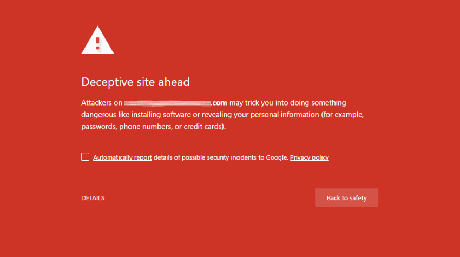 An internal Google Chrome page allows users to see all interstitial warnings or notifications that may be encountered while browsing the web with Chrome. An interstitial warning page is shown when Google wants to warn or notify a user about a particular risk or concern before a web page is loaded into the browser. For example, if a web page has been flagged as a phishing site, it will display the above warning before allowing you to proceed. At these warning pages, users can decide whether they want to ignore the warning and proceed or go back to the previous page they were at. While researching the recent deceptive mobile billing interstitial coming to Chrome 71, I stumbled onto the internal chrome://interstitials page that allows you to view all warnings that are supported by the particular Chrome version you are using. For example, Chrome 70 will have different warning interstitials than Chrome 71. When at this page, you can view interstitials related to SSL, SafeBrowsing, Captive Portal, and Supervised Users. For the Safe Browsing category, you can also see normal warning pages that are shown in Chrome for mobile and desktop as well as the quieter warnings that will be displayed by Android apps using WebView. WebView is the Android platform that allows web pages to be viewed within Android apps. The warnings for WebView are typically "quieter" than the warnings shown in Chrome browser itself. Learn more by visiting OUR FORUM. |
Latest Articles
|