 The company launches FastTrack for Windows 10 guidance, providing experts who can talk through deployment scenarios with partners. Microsoft Monday unveiled a new benefit for partners that are moving customers from Windows 7 to Windows 10, with the company now offering expert assistance around Windows 10 deployments. The end of support date for Windows 7 is set for Jan. 14, 2020, and Microsoft has made a series of investments to help with the transition, said Bob Davis, corporate vice president for Microsoft 365, in a blog post. The latest of these investments is the launch of FastTrack for Windows 10 deployment guidance. The benefit takes the form of free expert assistance on Windows 10 deployments for situations where there are at least 150 licenses of an eligible service or plan. "Sometimes you have a complex scenario and aren’t even sure where to start, or you’ve encountered a problem that has your migration stalled. There are times when you need to talk to an expert to get guidance on where to go next," Davis said. FastTrack, Davis said in the post, will assist with envisioning a technical plan and determining how to deploy new users—and will continue to offer help throughout the deployment. Read more: Microsoft Partners Get More Assistance For Windows 7 To Windows 10 Transition.  Researchers often give security vulnerabilities catchy names to help them attract more attention. Many of these monikers seem like nonsense--Heartbleed, Spectre, and Meltdown all sound more like emo bands than security flaws--but apparently the researchers at Eclypsium prefer to be a bit more direct. When the company revealed serious issues with more than 40 drivers on Saturday, it simply titled its report Screwed Drivers. (Catchy.) Eclypsium said it found severe vulnerabilities in drivers from "every major BIOS vendor" as well as the likes of Asus, Toshiba, Nvidia, Intel, AMD, and Huawei, which is pretty bad news. But worse still was the company's realization that all of the insecure drivers had been signed by valid Certificate Authorities and certified by Microsoft. Eclypsium said this means the insecure drivers can be installed "on all modern versions" of Windows despite their flaws. The company also explained that "there is currently no universal mechanism to keep a Windows machine from loading one of these known bad drivers" and that some features "specific to Windows Pro, Windows Enterprise and Windows Server may offer some protection to a subset of users." And that's only if administrators decide to use those features; otherwise, their Windows devices will allow the insecure drivers to be installed anyway. "Vulnerable or outdated system and component firmware is a common problem and a high-value target for attackers, who can use it to launch other attacks, completely brick systems, or remain on a device for years gathering data, even after the device is wiped. Lots more can be found on OUR FORUM. 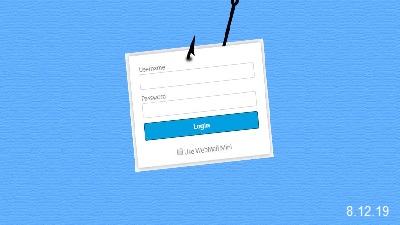 We take a look at a phishing campaign that pretends to be an "Unusual sign-in activity" alert from Microsoft that could easily trick someone into clicking on the enclosed link. With companies such as Google and Microsoft commonly sending users alerts when unusual activity has been discovered on their account, users may feel its normal to receive them and would then click on the enclosed link. Attackers are capitalizing on this by sending emails that pretend to be "Microsoft account unusual sign-in activity" alerts from Microsoft. When compared to the legitimate email notifications sent by Microsoft, they look almost identical with the same information fields and even the same sender address. What's different, though, is that when you click on the "Review recent activity" email link, instead of going to Microsoft to review your account's sign-in activity, you are brought to a fake landing page on a non-Microsoft site that asks you to log in. When a victim enters their credentials, the information will be saved for the phishers to retrieve later so that they can access your account. No matter what credentials are entered in the fake login form, the user will always be redirected to an error page on Microsoft's live.com site. This is to make it look like there is a problem with your account and that nothing strange is going on. While some users may have felt that the emails are safe because they are coming from a legitimate Microsoft email address, it is always important to remember that the From email address can always be spoofed to be from any account an attacker wants. Therefore, even if a phishing email looks legitimate, it is important to pay attention to the URLs of the landing pages before entering your login credentials in a displayed login form. Follow this thread by visiting OUR FORUM. |
Latest Articles
|