 Installing the KB4520062 cumulative update for Windows 10 – released on October 15 – could break the Windows Defender Advanced Threat Protection (ATP) service. That’s the warning provided in Microsoft’s release notes, stating that certain customers should not install this update. “After installing this update, the Microsoft Defender Advanced Threat Protection (ATP) service might stop running and might fail to send reporting data,” the warning reads. “You might also receive a 0xc0000409 error in Event Viewer in MsSense.exe.” Before going on a red alert, this issue pertains to Microsoft’s enterprise-based customers. Microsoft Defender Advanced Threat Protection is a paid service for detecting, investigating, and responding to “advanced threats.” It’s built into Windows 10 but unrelated to the Windows Security platform found in Windows 10 Home and Pro. Microsoft notes that it’s currently “working on a resolution” but doesn’t expect an official fix until the middle of November. That means businesses and corporations should not install this update until then. If the update is already installed, issues with the Microsoft Defender Advanced Threat Protection platform may already be in effect. Uninstall the update and wait for a fix. Read more: Microsoft cautions against installing the latest Windows 10 update.  Two reports published in the last few months show that malware operators are experimenting with using WAV audio files to hide malicious code. The technique is known as steganography -- the art of hiding information in plain sight, in another data medium. In the software field, steganography -- also referred to as stego -- is used to describe the process of hiding files or text in another file, of a different format. For example, hiding plain text inside an image's binary format. Using steganography has been popular with malware operators for more than a decade. Malware authors don't use steganography to breach or infect systems, but rather as a transfer method. Steganography allows files hiding malicious code to bypass security software that whitelists non-executable file formats (such as multimedia files). All previous instances where malware used steganography revolved around using image file formats, such as PNG or JEPG. The novelty in the two recently-published reports is the use of WAV audio files, not seen abused in malware operations until this year. The first of these two new malware campaigns abusing WAV files was reported back in June. Symantec security researchers said they spotted a Russian cyber-espionage group known as Waterbug (or Turla) using WAV files to hide and transfer malicious code from their server to already-infected victims. The second malware campaign was spotted this month by BlackBerry Cylance. In a report published today and shared with ZDNet last week, Cylance said it saw something similar to what Symantec saw a few months before. But while the Symantec report described a nation-state cyber-espionage operation, Cylance said they saw the WAV steganography technique being abused in a run-of-the-mill crypto-mining malware operation. Further details are posted on OUR FORUM. 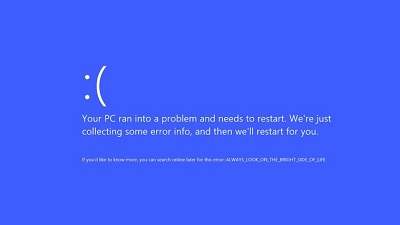 It seems Windows 10 KB4517389 Update hit hard with plenty of issues. We’ve earlier reported about the Start Menu bug and the broken Microsoft Edge browser, but besides these, it appears that Microsoft engineers need to fix two more bugs. Windows 10 KB4517389 Update is causing random BSOD, and they are particularly visible on laptops running the latest cumulative update. Interestingly enough, not a single case has been reported on desktop PCs. “On my laptop machine (but not on my desktop) I started getting BSOD failures in cldflt.sys after installing KB4517389,” a user wrote on Microsoft Community site. The user later confirmed that it was indeed the KB4517389 Update that caused the issue as the uninstalling the update brought everything back to normal( via Techdows). “Just FYI, I rebooted my Windows 10 laptop this morning to finish installing Windows Update KB4517389, and after that, I experienced several Windows failures, BSOD when using the menus in the Affinity applications, ” a user wrote on Affinity forum. Windows 10 KB4517389 Update hit with another issue where basic features like Start menu, Windows Search or Google Chrome will render incorrectly( via Windowslatest). But all PCs are a victim, PCs with Intel DCH display driver version 26.20.100.7157 are affected. Upgrading to a newer version of the display driver might solve the issue, you can also try to roll back to any previous version of the driver to avoid the aforementioned issues. Neither of the issues has been acknowledged by Microsoft, so there are no official fixes available at this moment. Follow this thread and many more at OUR FORUM. |
Latest Articles
|