 Microsoft is currently working on new features designed to block malicious content in Office 365 regardless of the custom configurations set up by administrators or users unless manually overridden. This change was prompted by the fact that some settings allow for Office 365 Exchange Online Protection/Advanced Threat Protection detonation verdicts to be bypassed and inadvertently allow malicious content to reach the customers' inboxes. Once the new features will be enabled, Office 365 will automatically honor EOP/ATP detonation — malware analysis — verdicts to block known malicious files and URLs regardless of custom configurations. The domain allows and transport rules are the ones most commonly responsible for content flagged by Office 365 EoP or ATP as malicious still being delivered to the end-users. "We’re updating our filters to ensure that malicious files and URLs are not delivered regardless of configuration unless manually overridden," says the features' entry on the Microsoft 365 Roadmap. The "Office 365 ATP, Secure by Default" update is currently under active development according to the roadmap and comes with an estimated release date set for February 2020, to be generally available in all environments. Microsoft previously warned Office 365 admins and users against bypassing the built-in spam filters in June 2019, as part of a support document that also provides guidelines for cases when this can't be avoided. As Redmond says, Office 365 end-users should avoid enabling Allow or Block lists within the Spam Filter policies, as well as skipping Transport Rules scanning. Microsoft also urges Outlook or Outlook on the Web users and admins not to toggle on Safe and Blocked senders. "We recommend that you do not use these features because they may override the verdict that is set by Office 365 spam filters," says Microsoft. Microsoft recommends Office 365 customers to report junk email messages using the Microsoft Junk Email Reporting Add-in "to help reduce the number and effect of future junk email messages," while Outlook users can employ the Report Message add-in to report junk email. "If you have to set bypassing, you should do this carefully because Microsoft will honor your configuration request and potentially let harmful messages pass through," the support document says. "Additionally, bypassing should be done only on a temporary basis. This is because spam filters can evolve, and verdicts could improve over time." Further details can be found on OUR FORUM.  It may be tempting to try to download the latest games or applications for free, but doing so will ultimately land you in a hotbed of trouble as your computer becomes infected with adware, ransomware, and password-stealing Trojans. Tools that allow you to crack, or bypass license restrictions, in copyrighted software have been around forever and users have always known that they face the risk of being infected with unwanted software by using them. In the past, though, most of the unwanted programs that were installed were adware or browser extensions, and though definitely a nuisance, for the most part, they were not stealing your files or installing ransomware on your computer. This has changed as software installer monetization companies have started to increasingly team up with ransomware and password-stealing Trojan developers to distribute their malware. Passwords stolen through software cracks BleepingComputer has been tracking adware bundles for a long time and in the past, they would install unwanted programs, but had no long-term ramifications to your data, privacy, or financial information. Security researcher Benkøw has recently noticed that monetized installers pretending to be software cracks and key generators are now commonly installing password-stealing Trojans or remote access Trojans (RATs) when they are executed. In his tests over the past week by downloading various programs promoted as game cheats, software key generators, and licensed software, when installing them he was infected with password-stealing Trojans and backdoors such as Dreambot, Glupteba, and Racoon Stealer. In BleepingComputer's tests, we were infected with ShadowTechRAT, which would allow an attacker to gain full access to an infected computer. It is not only RATs and password-stealing Trojans that users could be infected with. One of the most prolific ransomware infections called STOP is known to be installed through these same adware bundles. Distributed via torrent sites, YouTube, and fake crack sites. To distribute these adware bundles, attackers will upload them to torrent sites, create fake YouTube videos with links to alleged license key generators, or create sites designed to just promote adware bundles disguised as software cracks. On torrent sites, you will commonly find that the same user has uploaded many different games, applications, and key generators that all have the same size. For example, in the image below you can see a user named 'toneg374' had uploaded many torrents around the same time that all have the size of 25.33 MB. For more visit OUR FORUM. 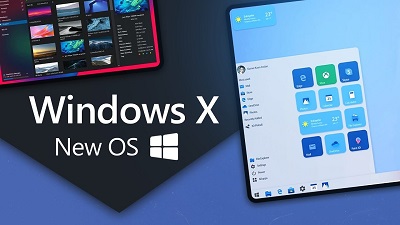 Windows 10 X is a new edition of Windows 10 designed for dual-screen devices and it’s also coming to traditional laptops at some point. Windows 10 X will come with a number of exclusives features and it will also offer a customized interface for all core components of Microsoft’s desktop OS. Although Microsoft is planning to bring Windows 10 X to traditional laptop form factors, there won’t be an official way of installing the OS on an existing Windows 10 device. The software giant isn’t planning to provide it in ISO format, but it’ll be possible through third-party tools. With Windows 10 X, Microsoft is scrapping Live Tiles, the large icons with interactive information from the Windows Phone days. The new OS comes in a more simplified look and it has icons, and Microsoft is calling it ‘Launcher’. Like Windows 8, Windows 10 X will also have gestures. For example, you’ll be able to swipe from the right side to open Action Center and swipe from the bottom of the screen to open the Start menu. There’s also a new Action Center in Windows 10 X and it puts more emphasis on quick actions. The Action Center expands in size when there are new notifications and it’s designed in such a way that you can quickly find the setting toggle without opening the settings app. The Compose Mode allows you to switch the taskbar to a more traditional taskbar. On Surface Neo-like devices, it enables productivity-friendly experience and allows users to use the keyboard accessory, touchpad and emoji panel. Windows 10 X also offers a new set up experience with a modern look and feel. Like Android and other mobile OSes, the 10X will also walk you through the device setup and help you select the correct sign-in, language, regions, update, privacy, and other settings. Windows 10 X also comes with dynamic wallpapers support and it would change content depending on your device’s time or your geolocation. For example, Microsoft plans to offer a mountain-view wallpaper and it would change its content during sunrise, afternoon, sunset, and night. Microsoft is updating the lock screen with a new model that brings up the lock screen with authentication options. You no longer need to dismiss the lock before authentication. By default, a new lock screen lets you log in via Windows Hello facial recognition, PIN or password. Full details can be found on OUR FORUM. |
Latest Articles
|