|
Slowly, slowly, Huawei is piecing together its alternatives to Google’s software and services, bedding down for a world where there can be no post-blacklist return to business as usual. And while the mood music from Shenzhen still suggests that the company would like nothing more than restoring Google on its new phones, the truth is much more complicated. The strategy in Shenzhen goes beyond phones, leveraging China’s huge investments in 5G and AI, looking at areas in which it can establish its brand beyond 5G network kit and consumer devices. At around the time of the Mate 30 launch last fall, Huawei also started talking up its new connected car platform—HiCar. And while this may have come across as an Android Auto (or Apple CarPlay) lookalike, compensating for the company’s loss of Google, that isn’t the plan. This is much more radical, a fundamentally different approach to the one taken by Google and Apple. Pitched at automakers as well as the drivers of their cars, this is API-level integration to car functions, linkages to cameras, fatigue and safety checks, even cloud-based services. All that atop the usual infotainment and navigation options. Now the rubber is about to hit the road on HiCar, quite literally, as Huawei looks to shepherd the tech onto countless cars from dozens of manufacturers. This is the year that HiCar becomes a reality and we will find out whether it is a viable option in itself, and how it battles Google (and Apple) apps in the auto space. If Huawei gets the strategy right, it will help fill some of the international smartphone-shaped gaps in its revenues, while millions of its users will stand to benefit. In the aftermath of the launch of the P40, its latest non-Google flagship, Huawei has been lauding the features of HiCar and its coming to market this year. The company has reportedly ensured that HiCar will reach its users en masse in 2020, shipping on as many as 120 different car models from 30 manufacturers. In the six months since the HiCar chatter began, we’ve seen Chinese automaker (and GM joint venture) Baojun become the first to launch a vehicle with the tech on board. The company says all future vehicles will get the update. The expectation is that many other manufacturers will follow this year—not just in China but overseas as well; according to Nikkei Asian Review and ChinaPEV, German giant Audi is among them. Audi has been approached for any comments on this. As I reported yesterday, May 8, Huawei is quietly using its balance sheet to fund investments in connected automotive technologies. Bringing together consumer OS expertise with advancements in silicon and cloud services, the Chinese giant has set itself the goal of becoming the “leading Chinese platform provider” in the space. Huawei’s newest business unit is Intelligent Automotive Solution (IAS), and it could become one of its most important. Automotive is at the very intersection of huge investments in AI, 5G, cloud, and IoT. That’s why Huawei’s competition in the space includes Apple, Google’s stablemate Waymo and Tesla. China is the world’s largest car market and will likely lead the world for next-gen autonomous vehicles as well. Huawei is well placed—right place, right time. There is more posted on OUR FORUM. 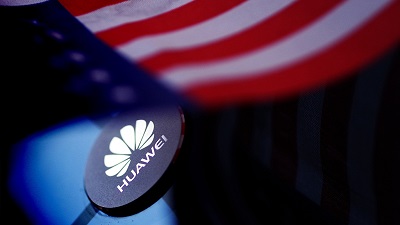 Despite increasingly vocal anti-China rhetoric by American politicians of late, the United States government as reported by Reuters is set to sign off on new rules which allow American technology companies to work with China's Huawei in coordinating on standards for global 5G internet networks. The move comes despite an all-out war against the Shenzhen firm by the United States government for nearly two years which has seen Washington attempt to bludgeon the company with a number of tactics, including domestic blacklistings and sale restrictions, coercing foreign governments against using it and tactics which have included legal charges at home and the pursuit of Meng Wanzhou in Canada. The timing of this move given the circumstances is extremely odd. However, the conceding that Huawei will have a role in the setting of global 5G standards is an indication that the White House is now aware of the realities that are at play. The United States has effectively lost the 5G war against Huawei. Failing to get it blacklisted throughout the world, Washington is now resigned to the fact that the company will now dominate the standards of the next generate internet, and therefore, it is now forced to ultimately work with it in doing so, than against it. The outcome marks a major strategic defeat for the United States on this issue. First of all, despite everything we are hearing from the U.S. right now, policy and rhetoric are different. As I have set out previously, many American politics are showcasing anti-China stances in the pursuit of electoral races and this does not always translate into practical policy outcomes. Trump sees opportunity in bashing China right now over the COVID-19 pandemic, however, what he says and suggests does not tell us everything he will do in practice and thus it is important to read deep between the lines during this given period. This brings us to Huawei. The Trump administration's campaign against the Chinese firm has been a failure on multiple levels. Starting in 2018, it sought to isolate Huawei globally by placing pressure on allied countries to shun the firm from their 5G networks branding it a security risk. One of the cited reasons for this was a fear from Washington that China could grow to dominate the global standards of the next generation of internet technology. Whilst countries more loyal to U.S. strategic goals, such as Australia, followed suit with this, by and large, the rest of the world did not, even close allies such as the United Kingdom. As a result, despite repeated aggressive actions from Washington, by the start of 2020 Huawei stood as the world's largest provider of 5G patents and commercial contracts, well on course for over 100 deals with roughly half of those being based in Europe. Details can be found on OUR FORUM.  Features are great but having a way to use them without typing cryptic commands is even better. Android is, always has been, and always will be jam-packed with software features. Even the most bare-bones software as seen on something like the Pixel phone will have features that you never knew you needed until you did need them. And it will also have features you didn't even know existed because they are hidden without any sort of user interface to actually use them. Thankfully, Android 11 brings two of these very useful features to the light with a proper — and easy — way to use them: screen recording and wireless ADB (Android Debug Bridge, a way to communicate with a computer). You've probably seen something on the internet about these "new" features, but what most people don't know or remember is that neither is new at all. That's a failure on Google's part; when something users or developers (or both) want is put into Android, not having a way to easily use them means maybe Google shouldn't have bothered in the first place, ya know? Enough of the old, let's look at the new. You can now record what happens on your screen, complete with touchpoint markers and audio, by simply tapping an icon in the quick settings bar. Previously, you needed to connect your phone to a computer and type out a command or find an app that could replicate the command on the phone itself. Neither is a bad thing, and it doesn't appear that either way will disappear. The biggest change from what I can tell is that now you can do it without the typing or a third-party app. Simply adding a third choice to how you can record your screen, especially one so easy to use, is what we love to see. Wireless ADB is yet another new feature that's not new. But if you think you might ever need to use it, thank whatever God(s) you believe in that Google finally made it easy to use. With Android 11, you toggle a virtual switch and enter in some network details. It will be even easier when Android 11 is final and QR code scanning is implemented. Previously, you needed to connect with a cable to authorize an encryption key, get the IP of your Android device after unplugging it, make sure ADB is in your computer's command PATH, then type the commands to enable a TCP port via ADB. Finally, you could connect your computer to your phone with a special ADB command that included the port you forwarded in the previous step. Granted, after you worked your way through it once, it wasn't difficult, but compare it to tapping a switch or scanning a QR code and you'll see why the people who wanted or needed wireless debugging are so happy. Follow this thread on OUR FORUM. |
Latest Articles
|